Pick a mode
Choose Quick Battle for a single match or Story Mode to work through gym challenges.
Build a team of up to three and fight on a live 2D battlefield. Move to aim, time your four attacks, dodge danger, and switch partners when the matchup changes.
Play the game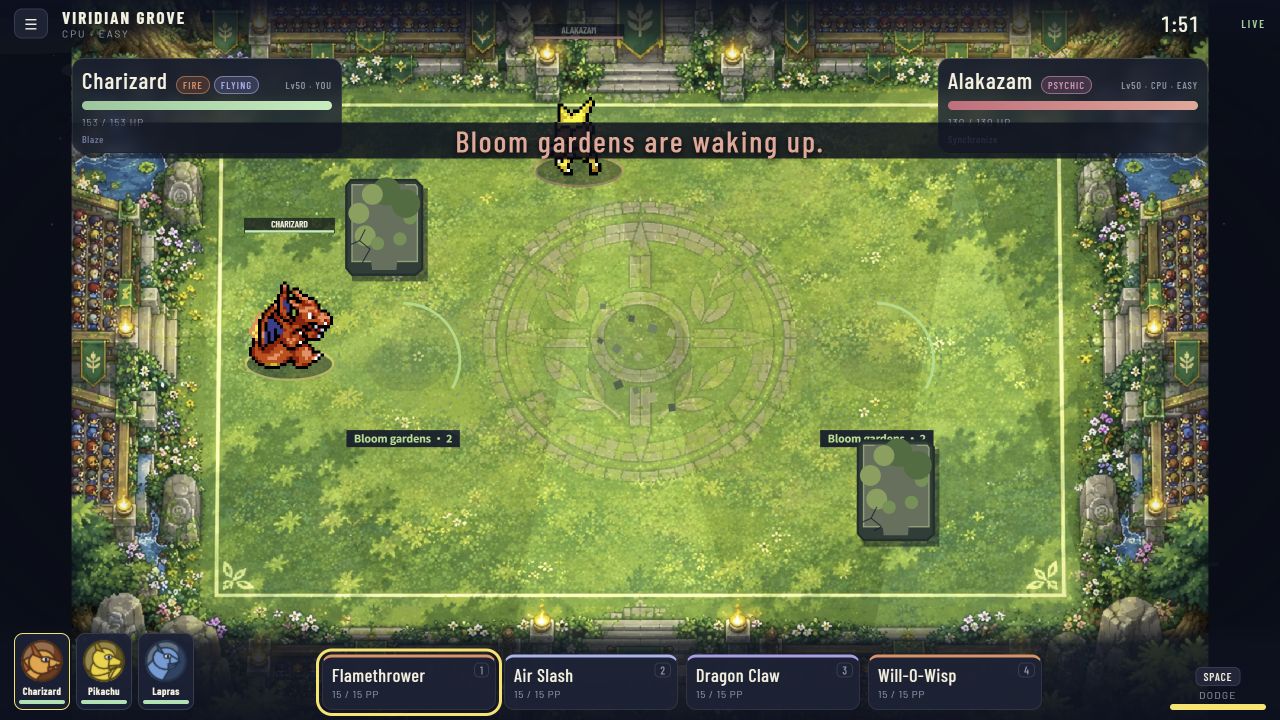
Press play to load Pokémon Arena 2D here. Click inside the game window to give it keyboard focus.
Captured from the playable game. Select any image for a closer look.
Screenshots captured from the playable Pokémon Arena 2D game. Game art and characters belong to their respective owners.
Both teams act at once. Your movement sets your aim, so positioning matters as much as move choice.
Choose Quick Battle for a single match or Story Mode to work through gym challenges.
Choose up to three creatures. Look at their types and moves before entering the arena.
Use WASD or arrow keys to move and aim. Press 1–4 to use your moves.
Press Space to dodge; use Q/E to switch partners. Esc opens the menu.
Try an easy Quick Battle first so you can learn the timing of your moves and dodge.
Walk into a distance where your attack can connect, then move again. Long shots give a moving opponent more time to escape.
Watch for an opponent's wind-up. A well-timed dodge avoids the hit and gives you a chance to answer while they recover.
Check the opposing type and switch when another partner has a better matchup. Arena cover can also block incoming projectiles.
Controls and game flow were checked in the live game. PokéBonk.lol is an independent fan guide.