Choose a partner
Start from the menu, choose a Pokémon, and enter a dungeon. Each partner has its own move options and upgrades.
Choose a Pokémon partner, enter the dungeon, and survive the growing horde. Move carefully, collect experience, and shape each run with new moves and upgrades.
Play the game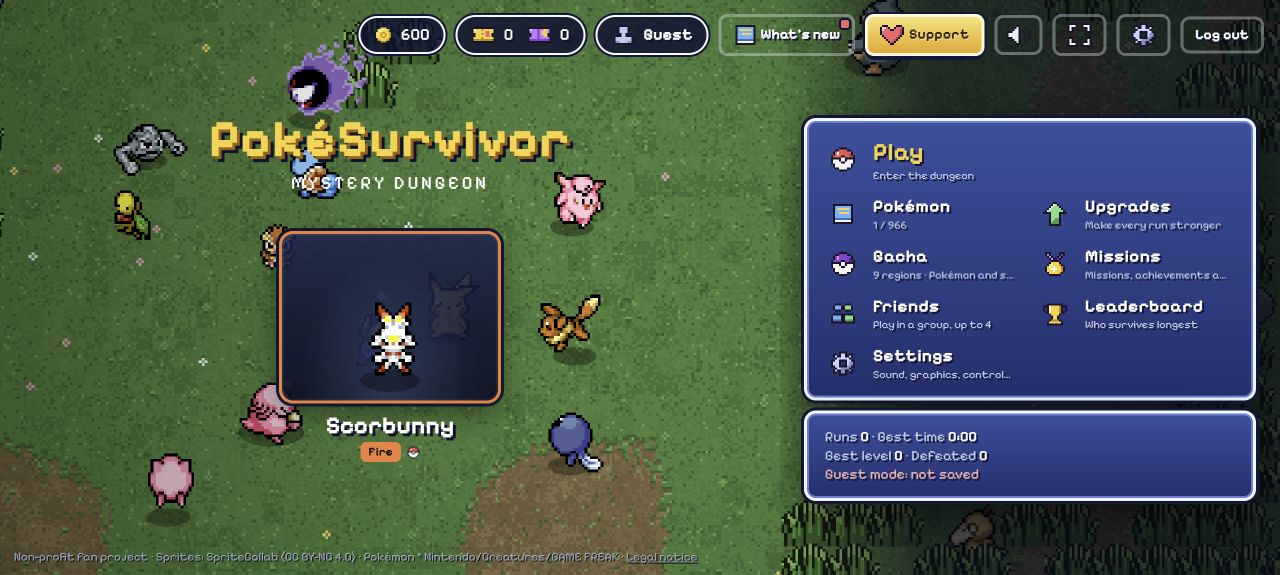
Press play to load PokéSurvivor inside this page. The game may take a moment to start.
These images come from PokéSurvivor itself. Select one to see it larger.
Screenshots captured from the original PokéSurvivor game. Game art and characters belong to their respective creators and owners.
The selected move attacks automatically, so your main job is to steer, make space, and choose when to change attacks.
Start from the menu, choose a Pokémon, and enter a dungeon. Each partner has its own move options and upgrades.
Use WASD to move on desktop. Keep a clear escape route as enemies gather.
Your active move fires automatically. Press 1–4 to select a move or Q/E to cycle through them.
Press Esc to pause and check the on-screen controls. On mobile, drag to move and tap an attack to switch.
Use the first runs to learn your partner's attack range and how the map fills up.
Move in wide arcs so enemies follow behind you. Cutting into a packed group can leave no room to escape. Collect experience when a route back out is clear.
The upgrade screen shows improvements for the selected Pokémon, including health, damage, speed, cooldown, and pickup range. Early damage can help make space; add defense when you need more time to react.
Changing moves can help when a different attack suits the enemies around you. Check the pause screen if you forget the keys, and adjust your plan after each run.
Game details and controls were checked against the original game and the screenshots above. PokéBonk.lol is an independent fan guide.