The short answer
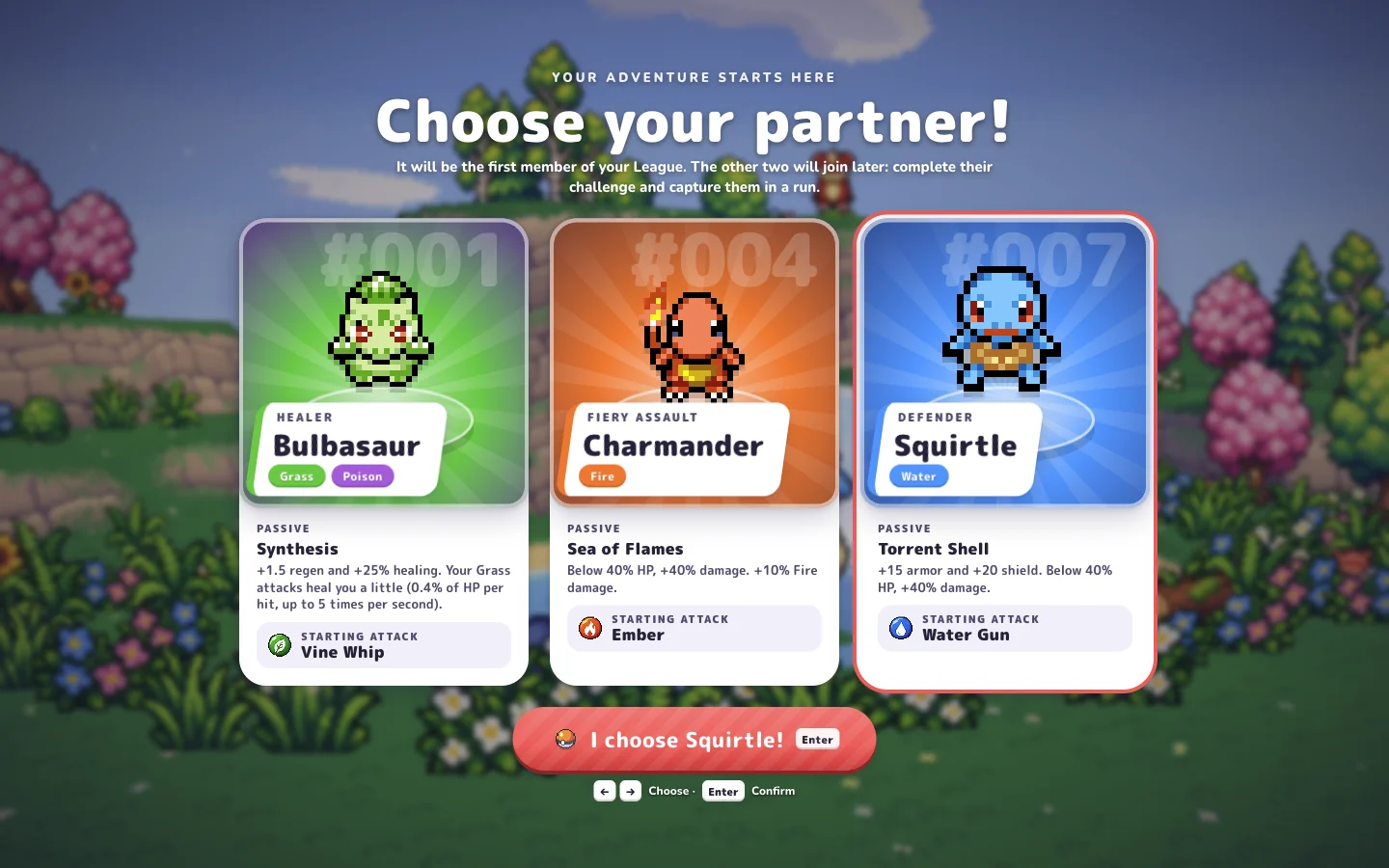
Open PokéBonk's original game in a browser. Enter as a guest if the option is available, pick Bulbasaur, Charmander or Squirtle, and check the region, mode and difficulty before starting. Move with WASD or the arrow keys; equipped moves attack automatically. Collect experience, choose an upgrade card at level-up, and visit the Lab after the run to spend Stardust.
Choose a partner and check the setup
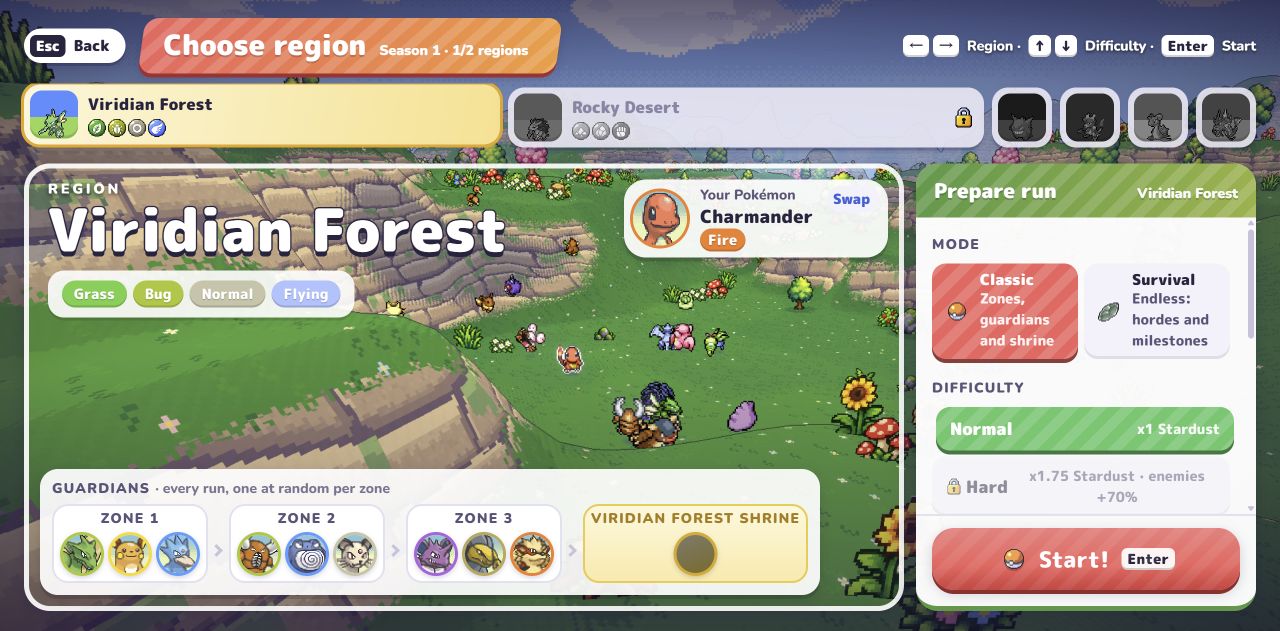
Compare the three starting partners by their visible passive and starting move. The first pick changes your opening tools, but you can learn the controls with any of them. On the region screen, confirm all three settings together: region, mode and difficulty. Classic follows zones and guardians toward a shrine; Survival keeps you in one arena with timed milestones.
Use Classic on Normal to learn a finite route, or Survival if you want to practice movement without a zone objective. This is a learning suggestion, not a claim that either mode is easier.
Move first; read the HUD as you go
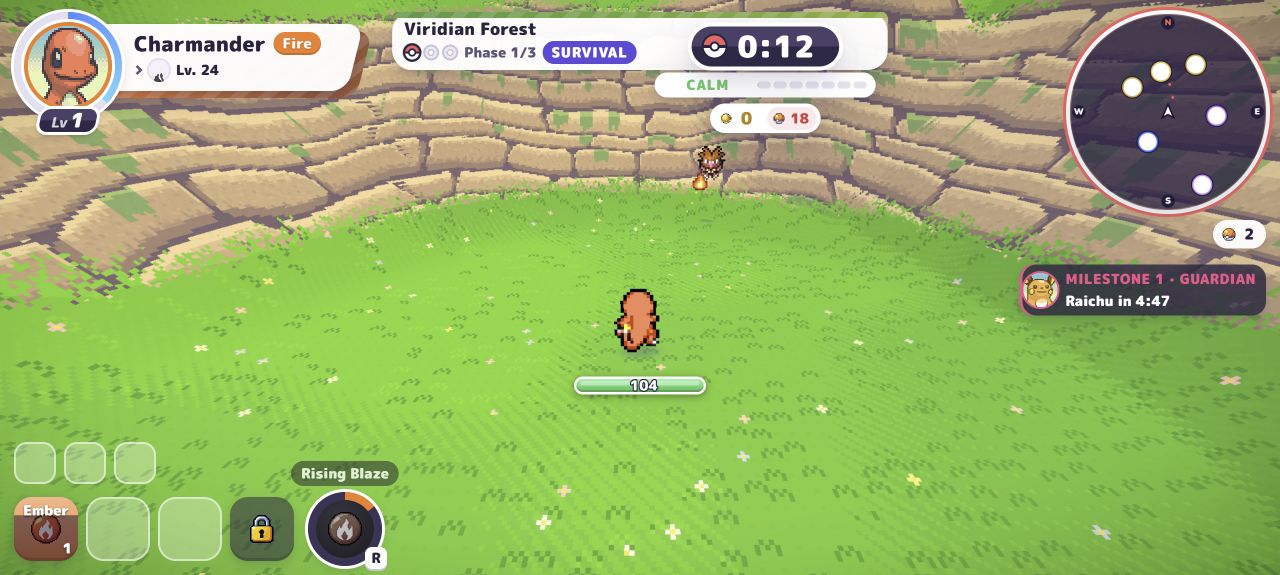
Your equipped attacks fire automatically. Make space around enemies, then collect dropped experience when you have a clear path back out. The top left shows your partner and status; the top center shows the region, phase and timer; the top right shows the minimap. Equipped moves and the Ultimate appear along the bottom.
Click inside the game view if keyboard or camera input does not respond. Saved key bindings can differ; check Settings → Keys in the current game.
Read the job of each card
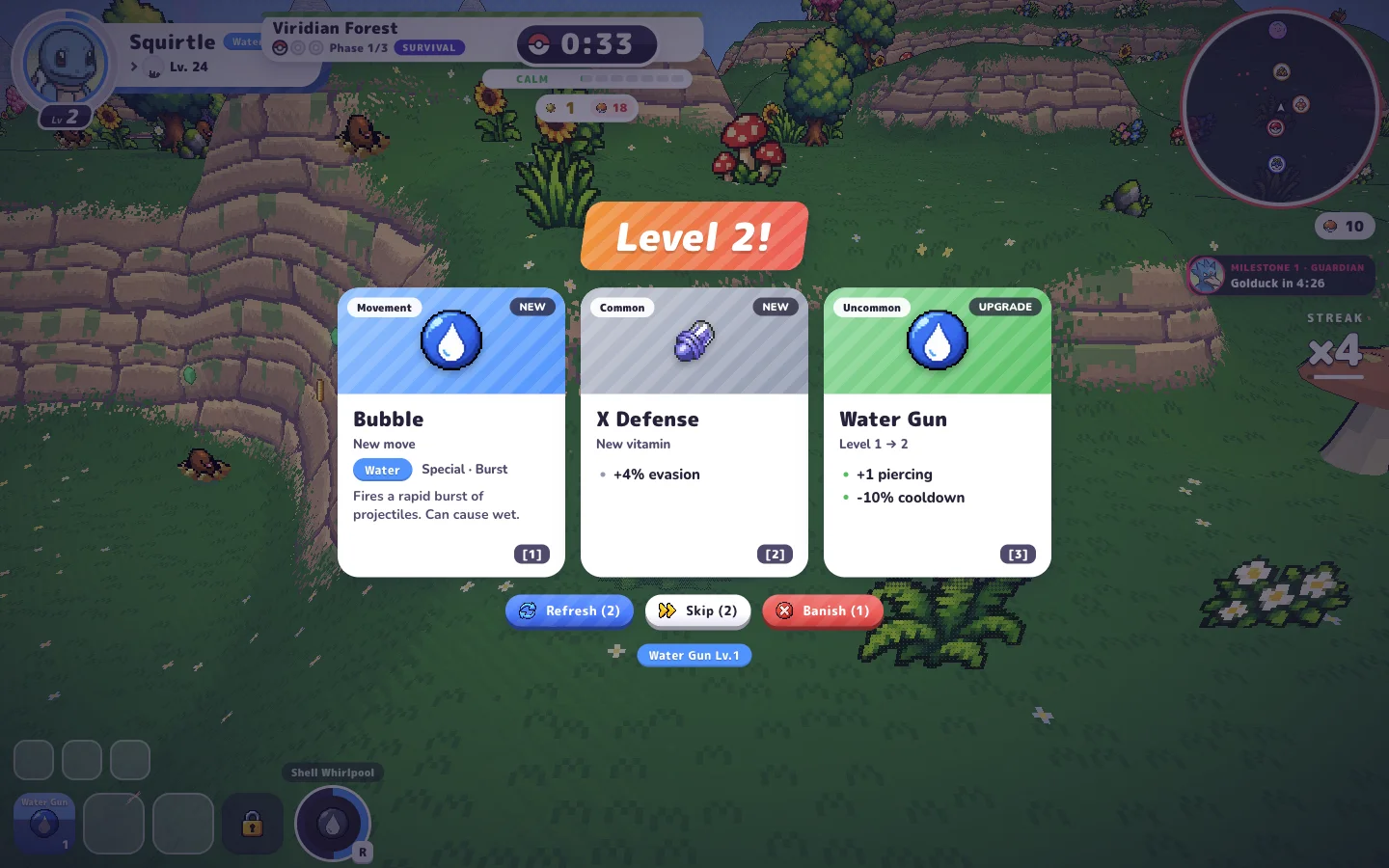
In the pictured offer, Bubble is a new move, X Defense is a vitamin, and Water Gun improves an existing move. The useful question is what your run needs now: another way to hit a crowd, more reliable damage from an equipped move, or protection while you learn to move.
The screen also shows Refresh, Skip and Banish controls with limited counters. Inspect the current choices before using one.
Use the Lab, then test one change
Level-up cards affect the current run. The Lab spends earned Stardust on persistent upgrades. After an attempt, note where it failed: movement, damage, defense or collecting experience. Pick one Lab improvement and retry the same setup so you can understand what changed.
If you plan to clear browser data or move devices, check the game's Local save option before doing so.
What this guide is based on
The images on this page are captured PokéBonk screens. We cross-checked the first-run flow, controls and upgrade terms against the linked first-run guide, controls reference and upgrade guide. Those references and the screenshots can reflect different game builds. Follow the current in-game labels when they differ.
PokéBonk.lol is an independent fan guide. The original browser game is at pokebonk.com.